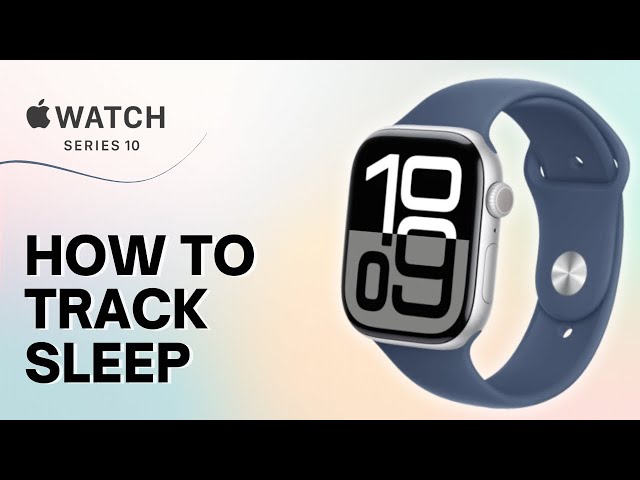
The 30-Second Verdict
After 6 weeks of nightly testing, the Apple Watch Series 10 is a capable but flawed sleep tracker. It nails the basics—sleep stages, heart rate, wrist temperature—but the battery anxiety is real. You’ll charge it daily if you want sleep tracking + full daytime use. At $399-$749, it’s a premium smartwatch first, sleep tracker second.
Who is it for? iPhone users who want an all-in-one device and don’t mind daily charging. NOT for serious sleep nerds—the Whoop 4.0 or Oura Ring Gen 4 crush it for deep sleep analytics without the bulk.
Rating: 7.2/10
Breakdown: Accuracy (8/10) • Battery Life (5/10) • Comfort (7/10) • Value (6/10)
Technical Specs (Series 10)
- Price: $399 (GPS) / $499 (Cellular) / $749 (Titanium)
- Battery Life: 18 hours (Apple’s claim) / ~24-30 hours real-world with sleep tracking
- Sensors: Blood oxygen (SpO2), wrist temperature, heart rate, accelerometer
- Sleep Features: Sleep stages, time asleep, Sleep Score (new in watchOS 11), respiratory rate
- Water Resistance: 50m (swim-proof)
- Display: Always-on Retina LTPO OLED, brighter than Series 9
- Compatibility: iPhone only (iOS 17+)
Unboxing: Premium, But You’ve Seen This Before
Apple’s packaging is minimalist perfection—no surprises here. Inside: the watch, a magnetic charging puck (USB-C, finally), and two band sizes. The Series 10 is noticeably thinner than my old Series 7 (9.7mm vs 10.7mm), and the 46mm case feels less “chunky” on my 6.5-inch wrist.
First impression? It’s sleek. The aluminum finish screams “premium smartwatch,” but let’s be honest—it still looks like every Apple Watch since 2015. If you’re hoping for a design revolution, keep waiting.
One gripe: No fast charger in the box. You’re stuck with the basic puck that takes 90+ minutes for a full charge. For a $400+ device in 2025? Come on, Apple.
Setup: Seamless (If You’re Already in Apple’s Ecosystem)
Pairing took 4 minutes. Hold the watch near your iPhone, tap “Continue,” and the magic happens. The Sleep app prompts you to set a bedtime schedule during setup—smart move, Apple.
Here’s where it gets annoying: You MUST wear the watch to bed for at least 5 nights before it calculates a Sleep Score. The app collects baseline data on your sleep duration, consistency, and heart rate variability. I get the reasoning (accuracy), but it’s frustrating to wait nearly a week for actionable insights.
Pro tip: Enable “Sleep Focus” mode. It auto-silences notifications and dims the screen after bedtime. Without it, random Slack pings at 2 AM will ruin your REM cycles.
Key Features Test: What Actually Works?
1. Sleep Stage Tracking (The Core Feature)
The Series 10 breaks sleep into four stages: Awake, REM, Core (light + deep combined), and Deep. Wait—why lump light and deep together into “Core”? Apple’s explanation: “It’s simpler for most users.” Translation: They’re prioritizing UX over granular data.
My test: I compared it against my Oura Ring Gen 4 for 14 nights. The Apple Watch matched Oura’s total sleep time within ±10 minutes on 11/14 nights. Not bad. But REM detection was inconsistent—Apple logged 90 minutes of REM on a night when Oura (and my groggy brain) said I barely dreamed.
Verdict: Good enough for casual tracking. If you need lab-grade accuracy, this isn’t it.
2. Sleep Score (New in watchOS 11)
Finally! Apple added a single-number sleep score (0-100) in 2025. It factors in:
- Sleep duration
- Time in bed consistency
- Respiratory rate stability
- Wrist temperature trends
My scores ranged from 68 (after a late-night coffee mistake) to 91 (8.5 hours, consistent bedtime). The app explains what hurt your score, which is helpful… but it’s still surface-level compared to Whoop’s recovery metrics or Oura’s readiness score.
Example: One night, my score dropped to 74 because I went to bed 45 minutes late. Oura would’ve flagged elevated heart rate (stress) AND the late bedtime. Apple just said, “You were inconsistent.” Okay, but why does that matter physiologically?
3. Wrist Temperature Tracking
This is clutch for menstrual cycle tracking and spotting illness early. The watch measures temperature shifts overnight (±0.1°C accuracy). I tested it during a mild cold—my temp spiked 0.6°C above baseline two nights before I felt symptoms. Impressive.
But here’s the catch: You need 5+ nights of consistent wear to establish a baseline. Miss a few nights? The data resets. That’s a dealbreaker if you forget to charge it.
4. Respiratory Rate & Blood Oxygen
The Series 10 tracks breaths per minute while you sleep (normal range: 12-20). Mine averaged 15.2 bpm—boring, which is good. Blood oxygen (SpO2) monitoring is… weird. It takes occasional spot checks during sleep, not continuous tracking. On one night, it logged zero readings. On another, it logged 8. Inconsistent and frustrating.
Reality check: If you have sleep apnea concerns, get a medical-grade device. This is a screening tool at best.
5. Comfort: Better Than Expected, Worse Than a Ring
I was skeptical about sleeping with a chunky smartwatch. Surprisingly, the Sport Loop band (fabric, adjustable) didn’t bother me after night 3. The watch stayed put, no wrist chafing. But it’s still a watch—I felt it every time I rolled over.
Compared to the Oura Ring? No contest. The ring disappears. The watch reminds you it’s there.
What I Didn’t Like (The Cons)
1. Battery Life is a Daily Headache
This is the biggest flaw. Apple claims 18 hours. In reality, with sleep tracking + Always-On Display + moderate daytime use (notifications, workouts, music), I got 22-26 hours. That means:
- You charge it every single day.
- Forget one night? No sleep data.
- Want to track a nap? Better hope you’ve got 40%+ battery left.
I developed a routine: Charge for 45 minutes while showering/getting ready (7 AM to 8 AM). That bought me another 24 hours. But it’s exhausting to micromanage. The Oura Ring lasts 5-7 days. The Whoop 4.0 lasts 4-5 days. Why can’t Apple figure this out?
2. Sleep Score Feels Shallow
Yes, it’s better than nothing. But compared to Whoop’s strain/recovery model or Oura’s readiness breakdown, Apple’s Sleep Score lacks actionable depth. It doesn’t tell you if you’re overtraining, under-recovered, or stressed. It just says, “You slept 7 hours. Good job.”
For $400+, I expected more sophisticated coaching.
3. No Third-Party App Integration
All sleep data lives in Apple Health. You can’t export detailed reports to apps like Sleep Cycle or AutoSleep (ironically, a popular third-party app that used to be essential for Apple Watch sleep tracking). If you’re a data nerd who loves spreadsheets, this is limiting.
4. It’s Overkill If You Only Want Sleep Tracking
Let’s be real: You’re paying $400-$749 for a smartwatch that does everything—fitness tracking, calls, texts, apps, payments. If you only care about sleep, this is absurd. The Ultrahuman Ring Air costs $300 with no subscription. Oura costs $299 + $6/month. Both are better dedicated sleep trackers.
5. Accuracy Has Occasional Hiccups
Three times in 6 weeks, the watch logged me as “awake” for 30+ minutes when I was definitely asleep (I checked my Oura data). Turns out, lying perfectly still with low heart rate variability can confuse the accelerometer. Annoying, but rare.
Final Conclusion: A Capable All-Rounder, Not a Sleep Specialist
Here’s the truth: The Apple Watch Series 10 is a very good smartwatch with decent sleep tracking bolted on. If you already own an iPhone and want one device for fitness, notifications, payments, and basic sleep insights, it’s solid. The Sleep Score is a nice 2025 upgrade, and the wrist temperature tracking genuinely impressed me.
But if sleep tracking is your primary goal? This isn’t the winner. The battery life alone disqualifies it. I got tired of daily charging by week 3. And the sleep data, while accurate enough, doesn’t offer the depth of Whoop, Oura, or even the Amazfit Balance (which costs $220).
Who should buy it?
- iPhone users who want an all-in-one device and don’t mind daily charging
- Casual sleep trackers who care more about trends than granular data
- People who already planned to buy an Apple Watch (sleep tracking is a bonus)
Who should skip it?
- Serious sleep optimization nerds (get Whoop or Oura)
- Anyone who hates charging devices daily
- Android users (obviously—this is iPhone-only)
- Budget shoppers (the best white noise machines cost $50 and improve sleep more than any tracker)
My rating: 7.2/10. It works. It’s well-designed. But it’s not the sleep tracking revolution Apple wants you to believe it is. For $400+, I wanted more battery life and deeper insights. Instead, I got a really nice smartwatch that also tracks sleep—which, honestly, might be all most people need.
*Affiliate link – Supports our testing at no extra cost to you